
01
Device-aware checkout
Application state had to remain synchronized with barcode scanners, security scales, checkout services, customer actions, and asynchronous hardware events.
Enterprise self-checkout product engineering for Carrefour retail environments, combining Flutter kiosk workflows, retail-device integration, MQTT communication, security-scale verification, AI camera-assisted item review, and staff intervention flows.
My role
Senior Integration Engineer — Flutter/Dart Focus
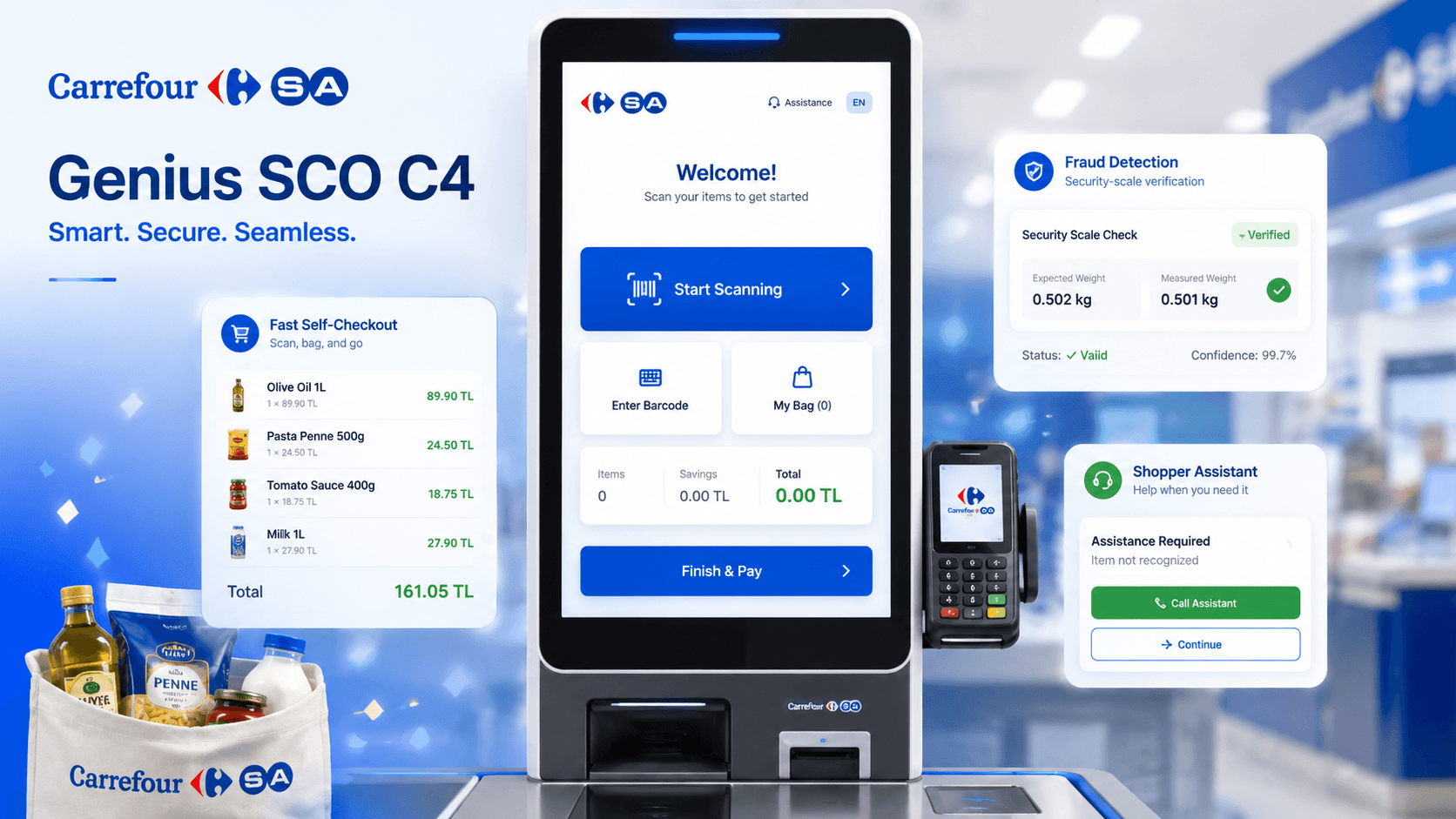
Engineering view
Application state had to remain synchronized with barcode scanners, security scales, checkout services, customer actions, and asynchronous hardware events.
Camera-assisted exception detection could trigger a customer-friendly review state while staff received the operational context needed to verify the event and safely resume checkout.
Bagging-area and weight-verification flows added another physical validation layer around scanned items and transaction state.
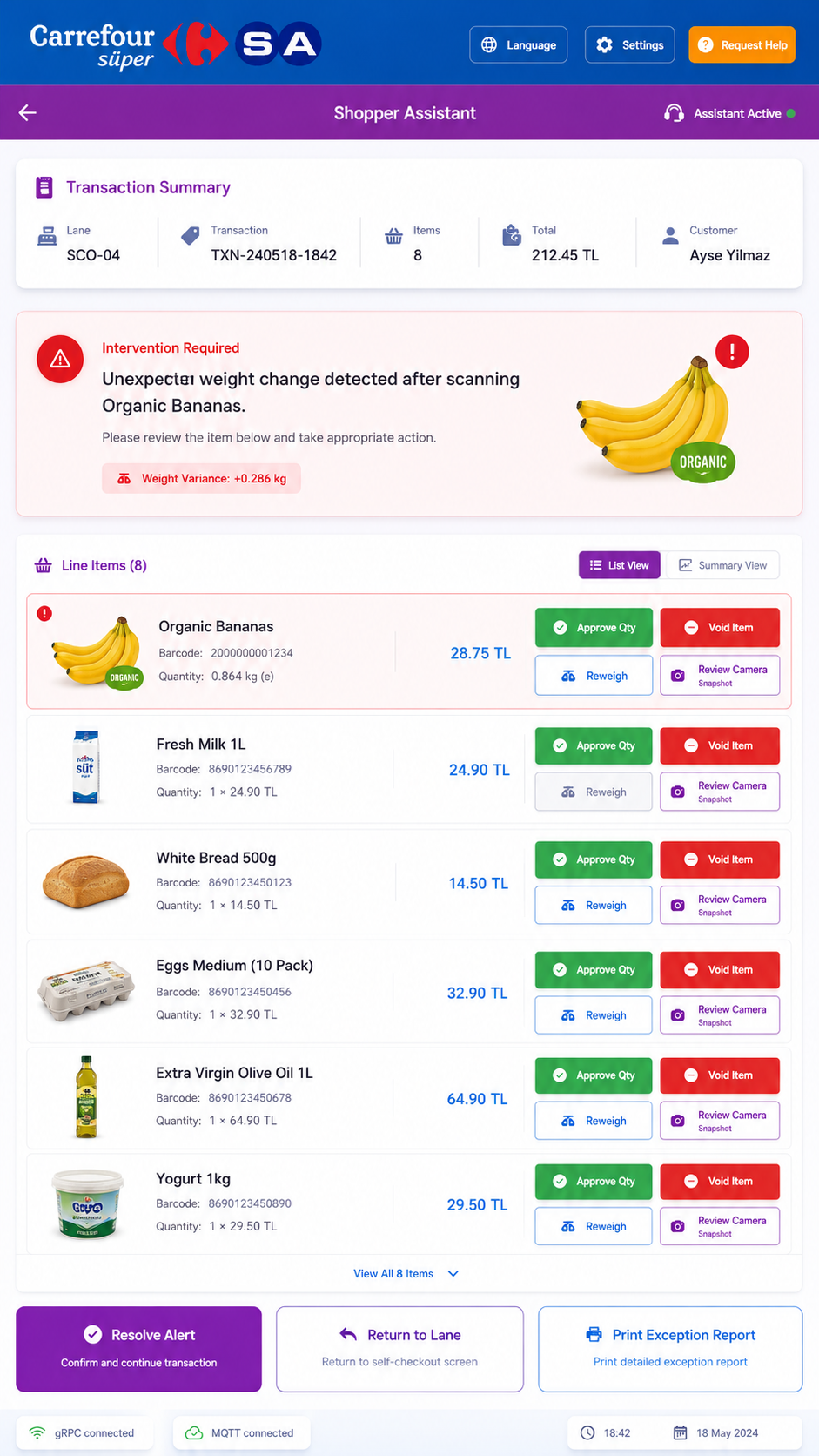
Shopper-assistant workflows gave staff controlled tools to inspect line items, resolve exceptions, assist customers, and continue or correct the transaction.
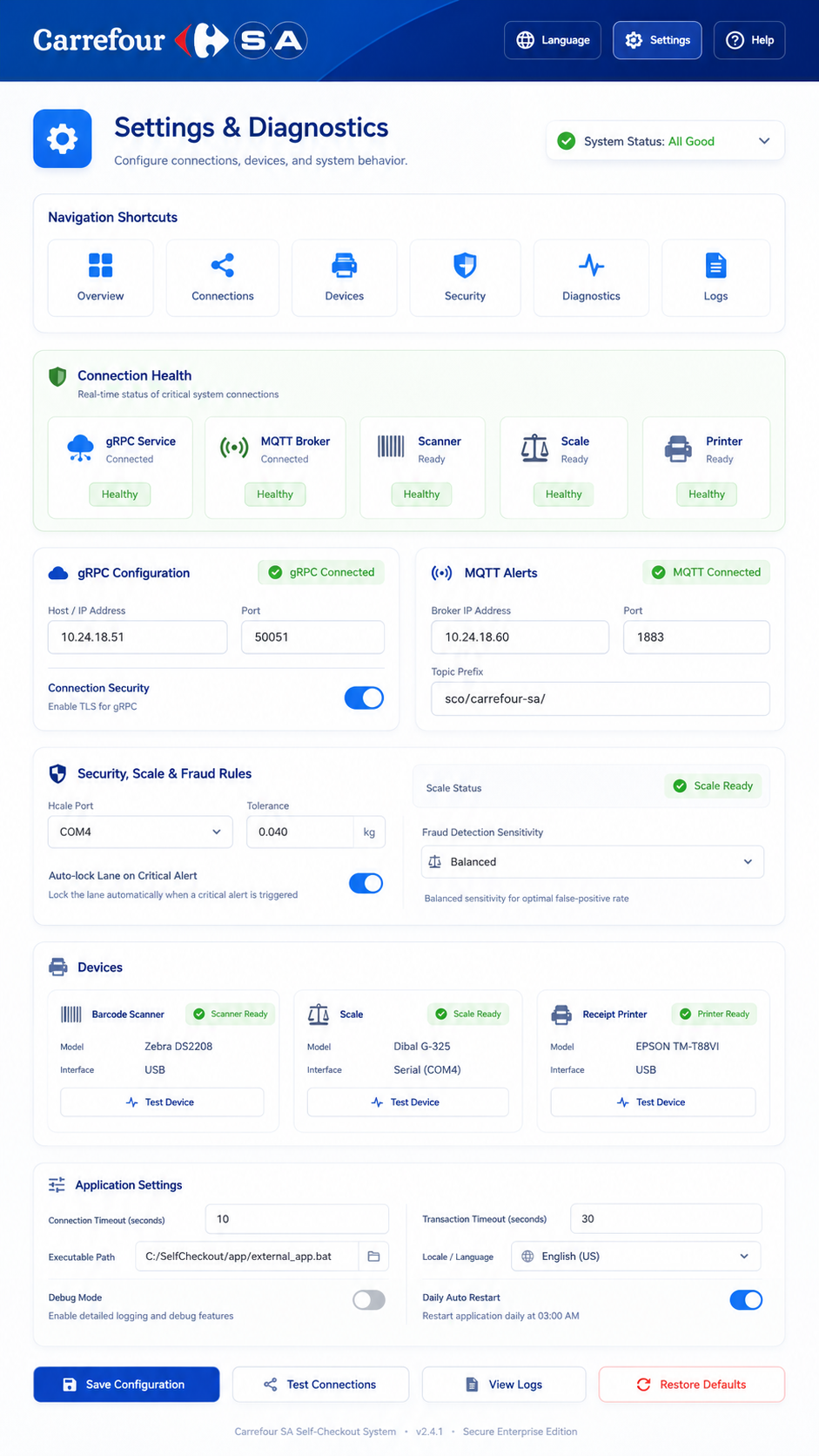
Operational screens exposed connection health, MQTT and gRPC configuration, scanner and scale readiness, and diagnostic tooling needed in a hardware-connected retail environment.
Contribution
Developed and debugged self-checkout workflows connected to real retail hardware, scanner states, transaction state, and asynchronous device events.
Worked on security-scale verification and exception-handling flows where software needed to coordinate item scans, bagging-area behavior, and physical checkout devices.
Contributed to AI camera-assisted item-review workflows that pause the checkout when unusual item movement requires staff verification before the transaction continues.
Built shopper-assistant and operational tooling for reviewing transaction items, resolving exceptions, supporting customers, and restoring the checkout flow safely.
Used MQTT and service communication across Flutter, POS, device, and hardware-integration layers.
Product visuals
Screens are shown at their native proportions without cropping. Landscape product views use the full content width; portrait kiosk and mobile views pair naturally when space allows.
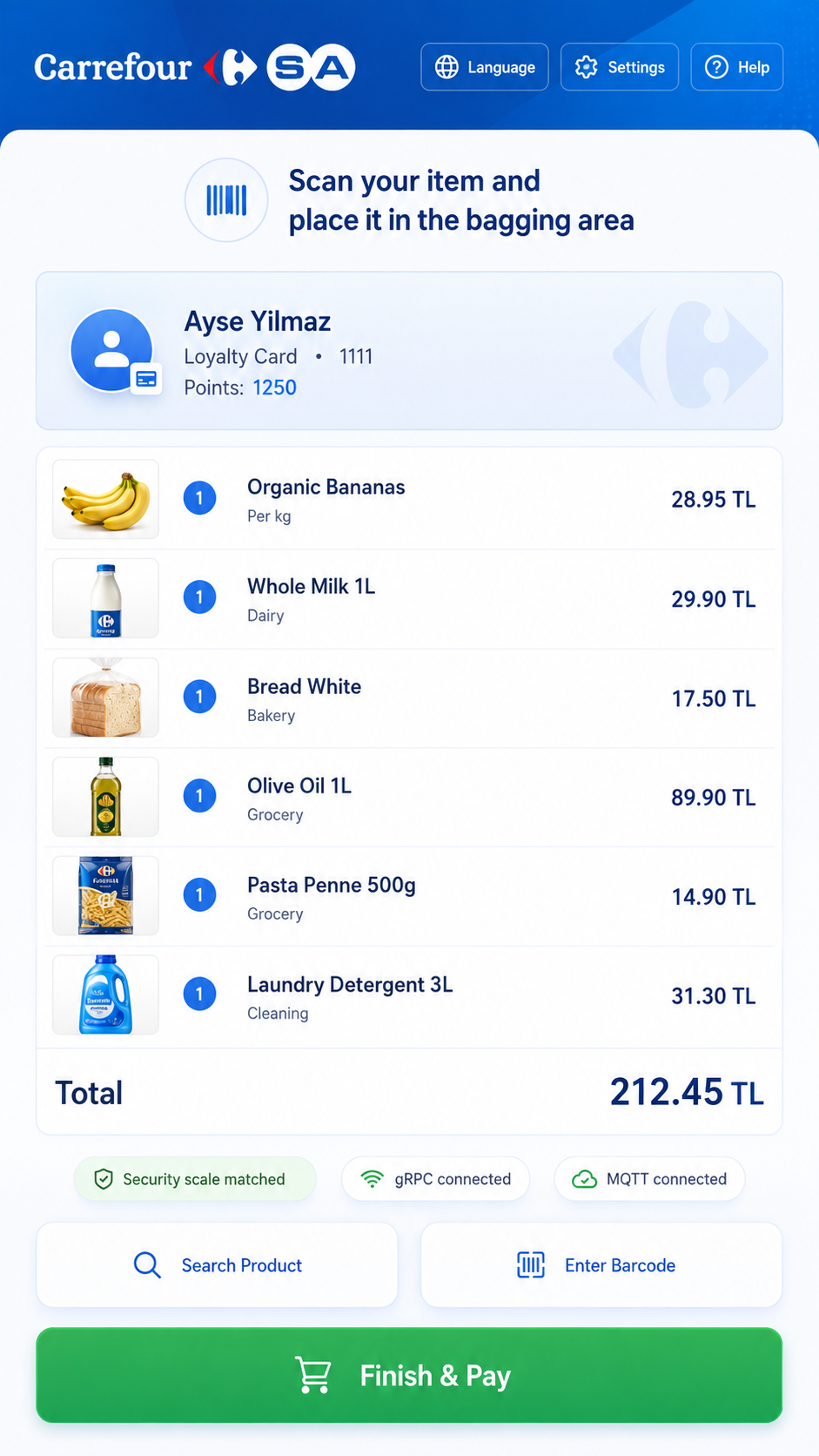 Full image
 Genius SCO C4 customer self-checkout scanning workflow
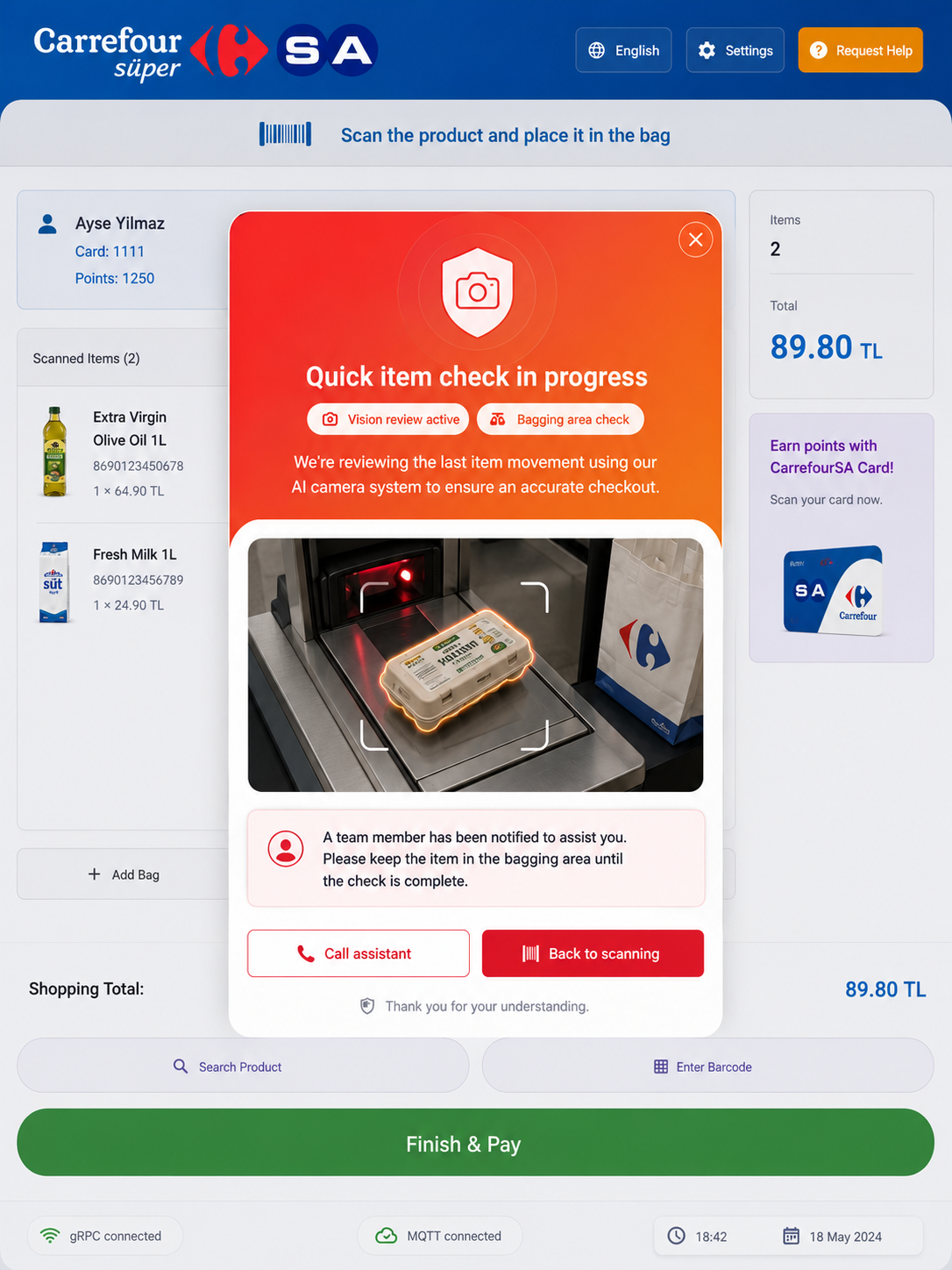 Full image
 Customer-facing item review workflow triggered by AI camera-assisted checkout monitoring
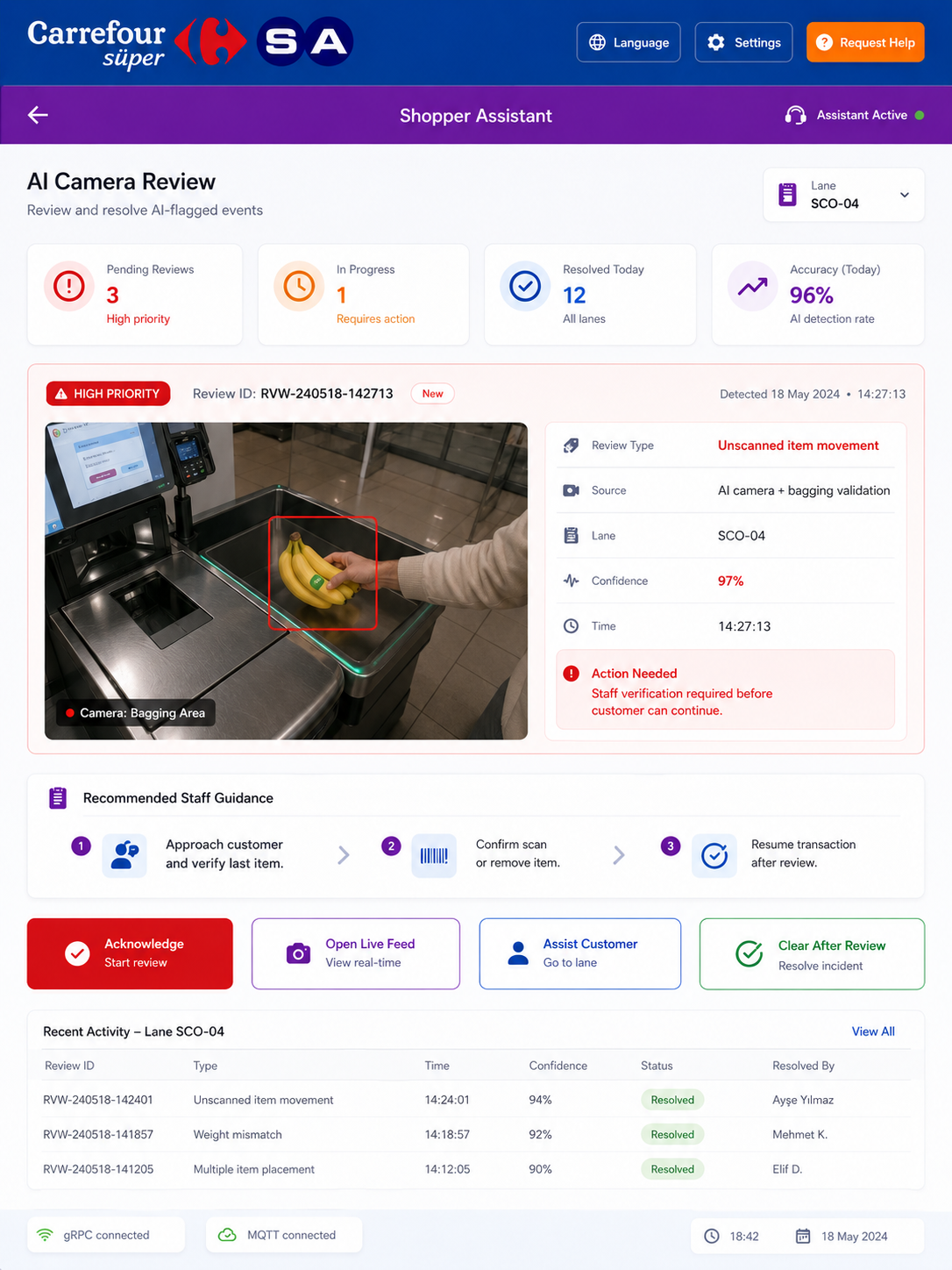 Full image
 Staff-facing AI camera item review and verification workflow
 Full image
 Genius SCO C4 shopper assistant transaction-management workflow
 Full image
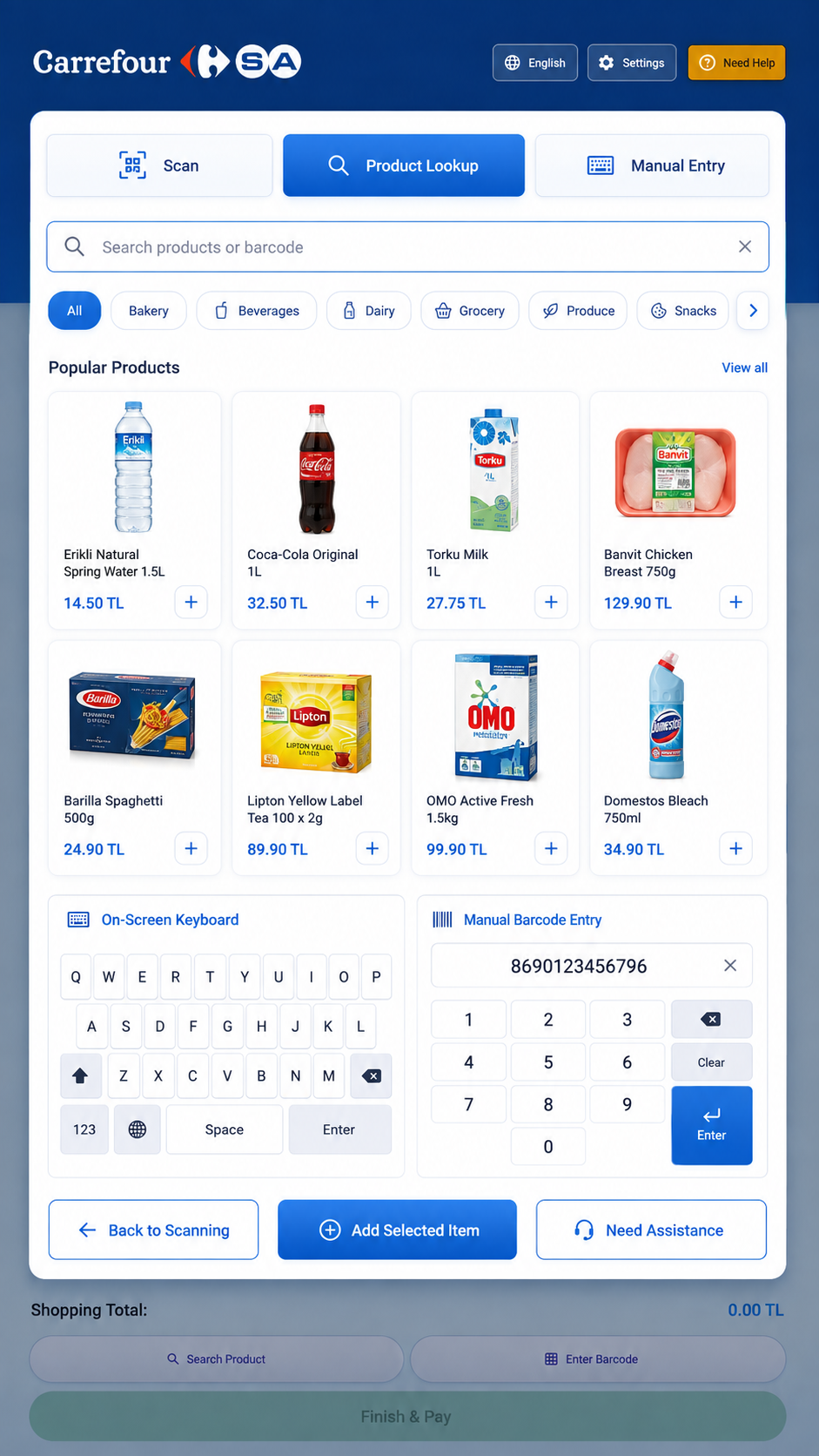
 Genius SCO C4 product lookup and manual barcode-entry workflow
 Full image
 Genius SCO C4 device integration and diagnostics configuration